
Live Q&A gives members a way to bring their questions to you, before and during your live event. You can see what people want to explore ahead of time, choose which questions to bring forward, and pin the one you're answering.
At a glance
- Members can ask questions before your event (once they select Attend) and during it.
- Questions are text based, and members can upvote each other's.
- Q&A is on by default and can't be switched off mid-session. You don't have to answer questions if it doesn't suit your session.
- You can shortlist pre-submitted questions in your Teacher Dashboard so they appear first when you go live.
- You can pin one question at a time. A pinned question and a promo card can't be shown together.
In this article
The basics | How members ask questions | Managing questions | Pinning and promo cards
The basics
What is live Q&A?
Live Q&A gives members a way to bring their questions to you, before and during your live event. It works in two places:
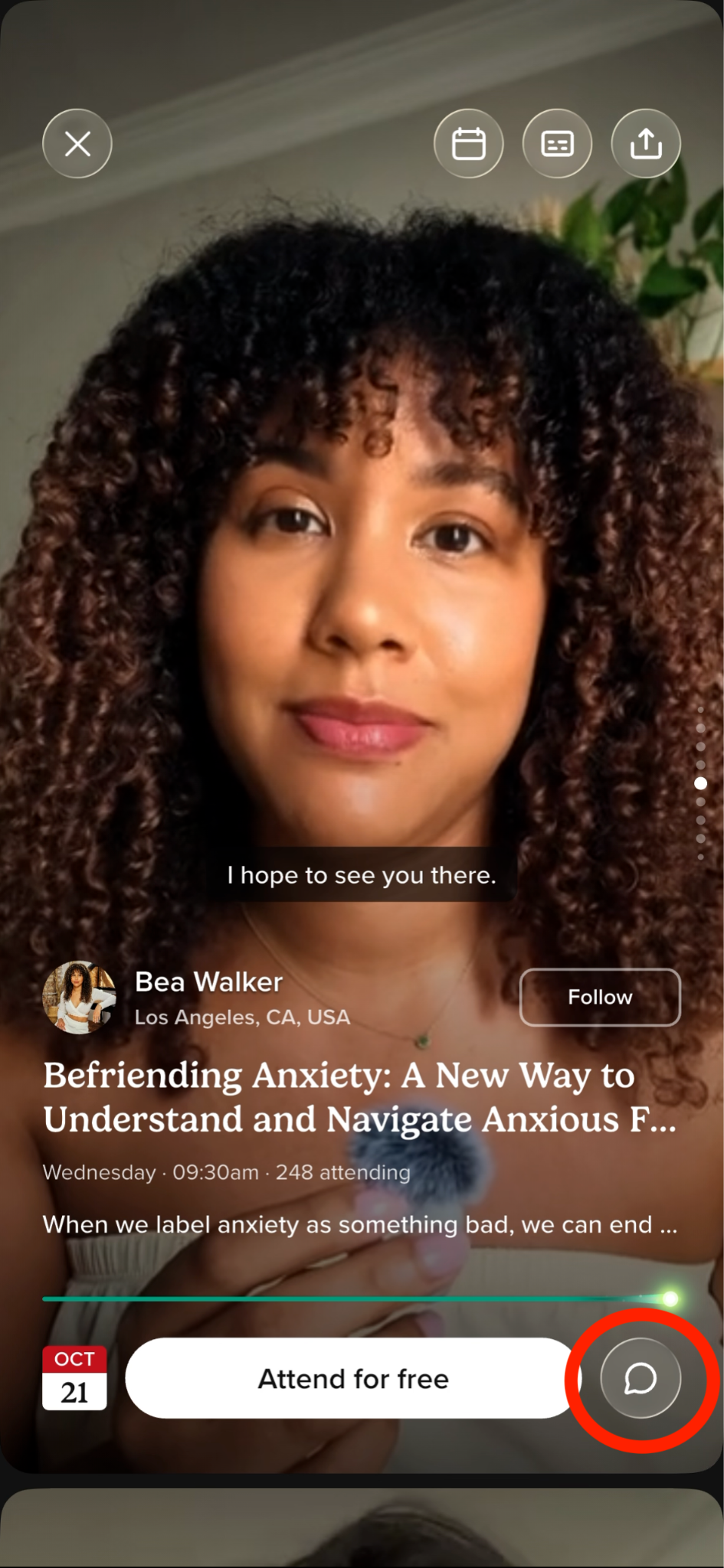
- Before the event. Members watching your event trailer can leave a question ahead of time, so you can arrive knowing what people want to explore and have answers prompted if necessary.
- During the event. Members can ask questions in the session while you're live.
Both are text based.
Is Q&A on by default?
Yes. Q&A is on for live events, and it stays on for the session.
Can I turn Q&A off during a session?
No, Q&A can't be switched off mid-session. You are always free to leave it be and teach the session you planned.
Plenty of teachers will want to hold questions for the last few minutes, or skip them entirely on a guided practice. That is completely fine.
How members ask questions
How do members submit questions?
Members can submit questions once they've chosen to attend your live event. After they select Attend, they can send questions in advance and upvote questions from other members.
Managing questions
How do questions get surfaced?
Before the event, you can shortlist pre-submitted questions in your Teacher Dashboard. Shortlisted questions appear at the top of the Questions panel when you go live.
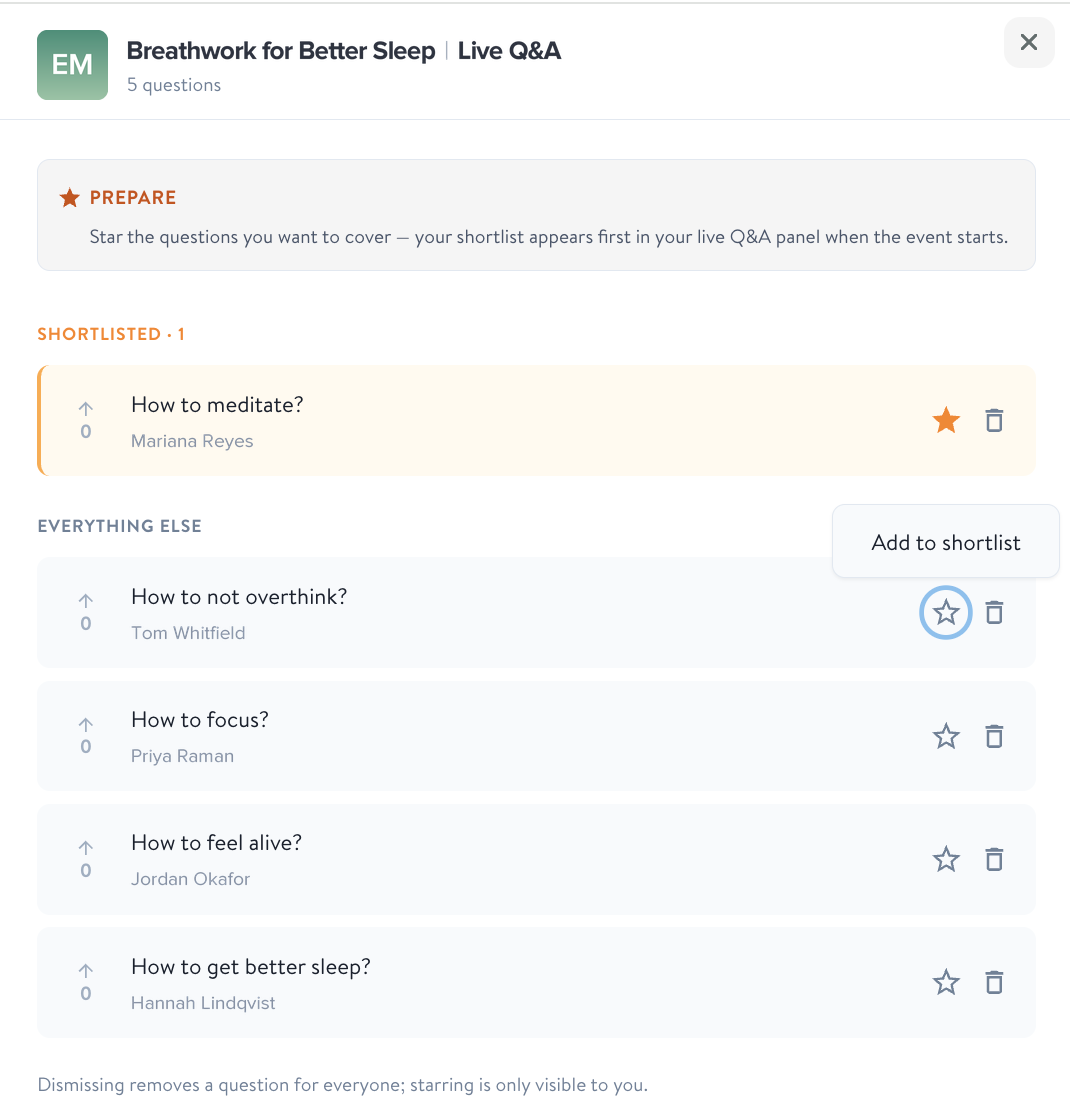
Below those, questions are sorted by upvotes, then by time submitted, with the oldest first.
How should I use the pre-event questions?
However suits your teaching. Some ideas:
- Skim them the day before and shape your session around a recurring theme.
- Answer two or three at the top of the session to warm the room up.
- Save them for a dedicated Q&A section at the end.
- Use them to spot topics worth a future event of their own.
Pinning and promo cards
Can I highlight a question?
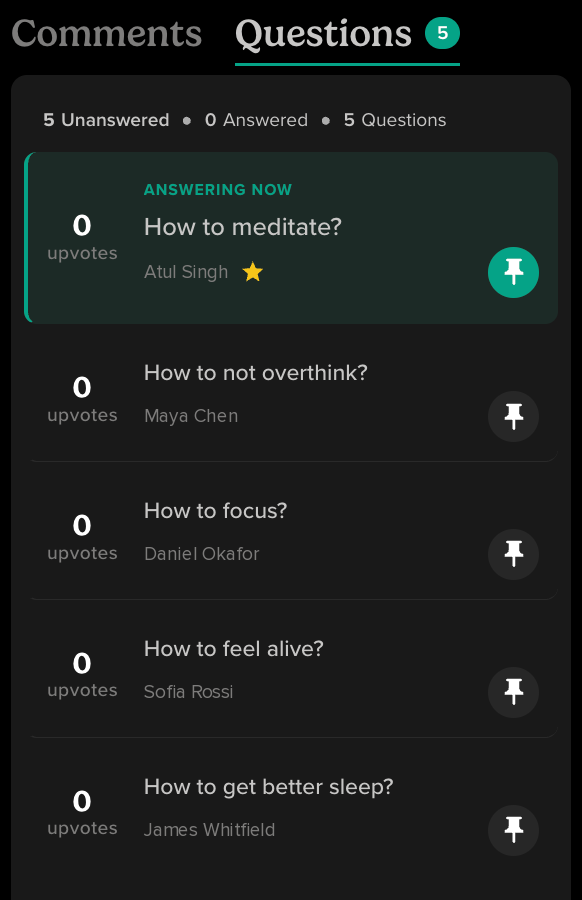
Yes. You can pin a question so it's clear to everyone which one you're addressing. It's a simple way to hold the room's attention on one thread at a time.
Can I pin a question and show a promo card at the same time?
No. There's one highlight spot in your live session, and it holds a single item: either a pinned question or a promo card, never both. It works the same way promo cards already do, where only one can be live at a time.
So if you pin a question while a promo card is up, the promo card comes down. Put up a promo card and your pinned question is released. The room's attention stays on one thing, which is the point of pinning in the first place.