
How to remove your intention
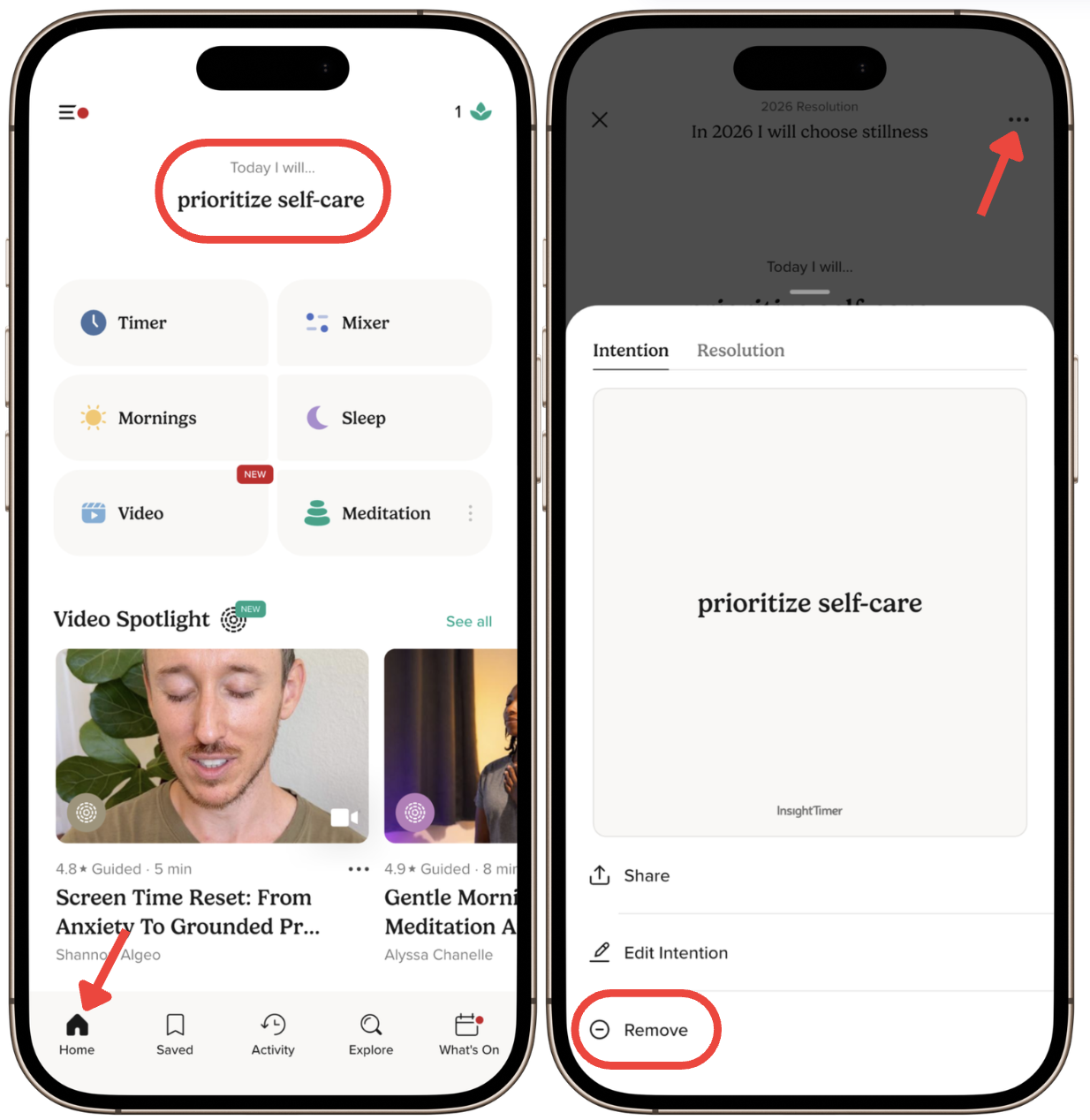
You can remove your intention from the app in a few simple steps. When you're ready to clear your intention from your Home screen, follow this process:
Steps to remove your intention
- Go to the Home tab.
- Click the Intention section.
- Tap the three dots (menu icon) in the upper right corner.
- Select Remove.
Please note: an intention can only be edited or removed once.
What happens next
That's it! Your intention will be removed and will no longer appear on your Home screen. You can set a new intention at any time by returning to the Intention section. This gives you flexibility to change your meditation and mindfulness practice goals as often as you'd like.