
How Can I Find the Timer?
The meditation timer is one of the core features of Insight Timer. It gives you the flexibility to set your own meditation duration and choose from dozens of ambient sounds and soundscapes — a simple way to create a consistent mindfulness practice.
Steps to Access the Timer
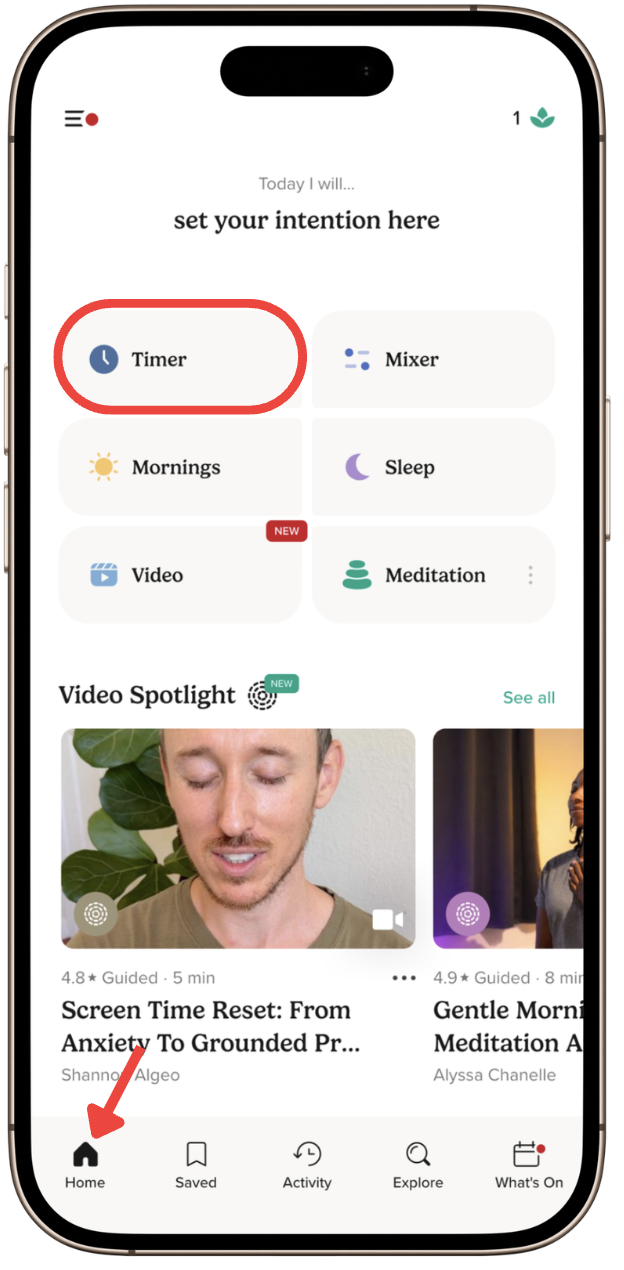
- Open the Insight Timer app.
- Go to the Home tab.
- Tap the Timer tile icon at the top of the screen.
You can also access the Timer via the Saved tab in the bottom navigation bar by tapping Timer.
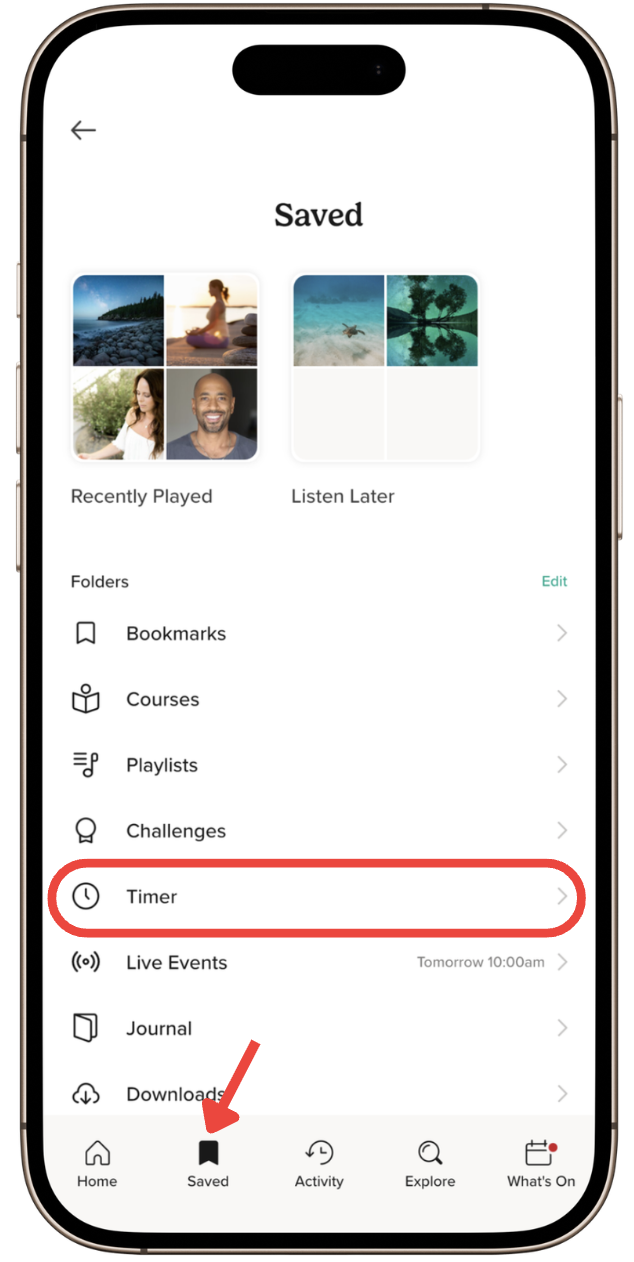
If you cannot see the Saved tab in the bottom navigation bar:
- Go to the Home tab.
- Tap the Saved tile icon at the top of the screen.
- Tap Timer.
This will open the full timer experience, where you can customise your session duration, background sounds, interval bells, and ending bells to suit your practice.